L'application tablette est dédiée aux conseillers pour faciliter les entretiens avec leurs clients. Elle permet aux conseillers de mieux comprendre les besoins de leurs clients et aide ces derniers à saisir le placement de leur argent.
#User Interface
#User Experience
#Prototyping
#Illustration
#Design System
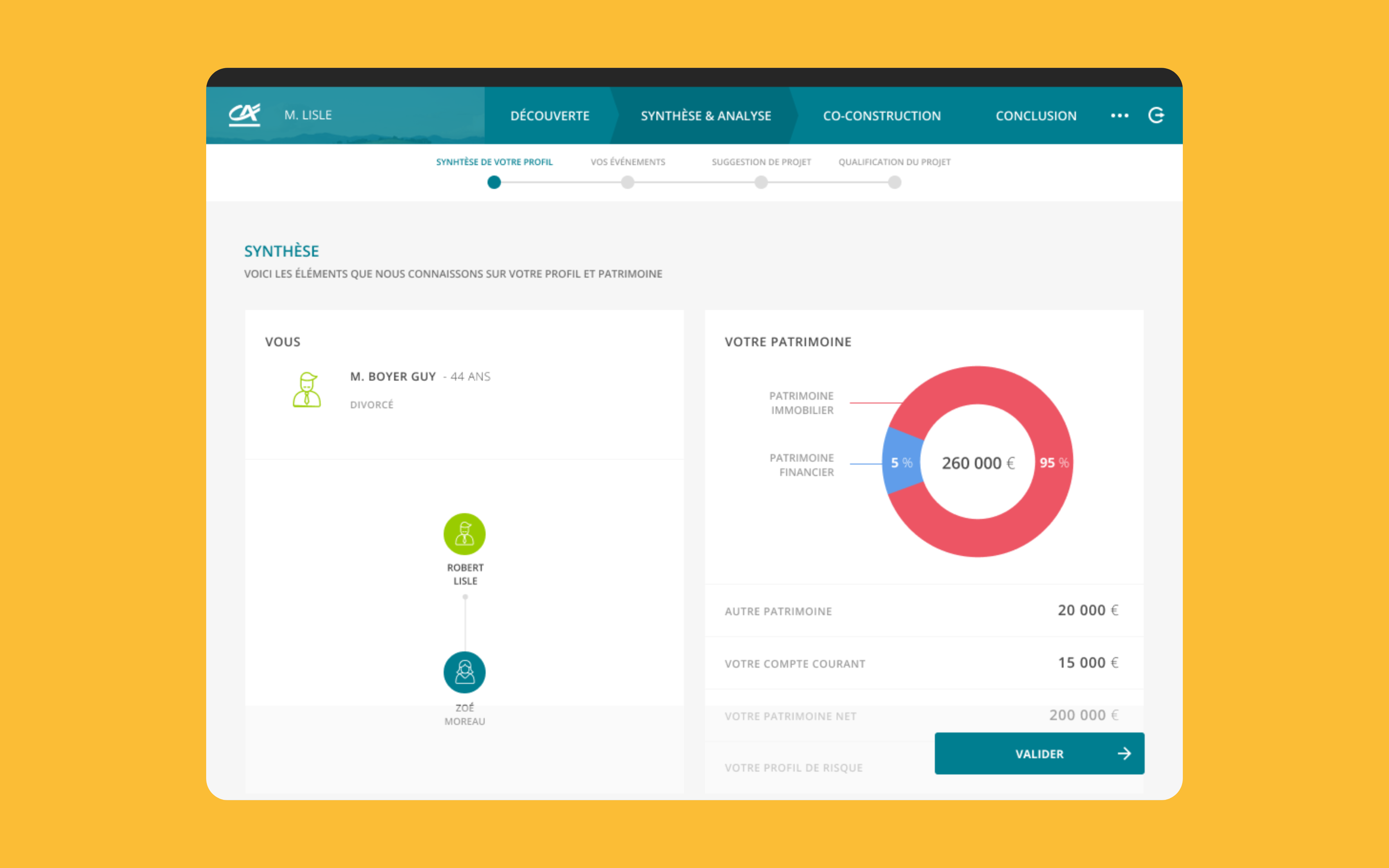
Mon patrimoine, Présentation de plusieurs écrans
Découverte
La première étape de l'application consiste à découvrir le client afin de lui proposer des solutions de placement très personnalisées. Cette étape est essentielle, car le client ne peut pas passer à la suivante tant qu'il n'a pas complété son profil financier. Cela garantit que les recommandations sont adaptées aux besoins spécifiques de chaque client.
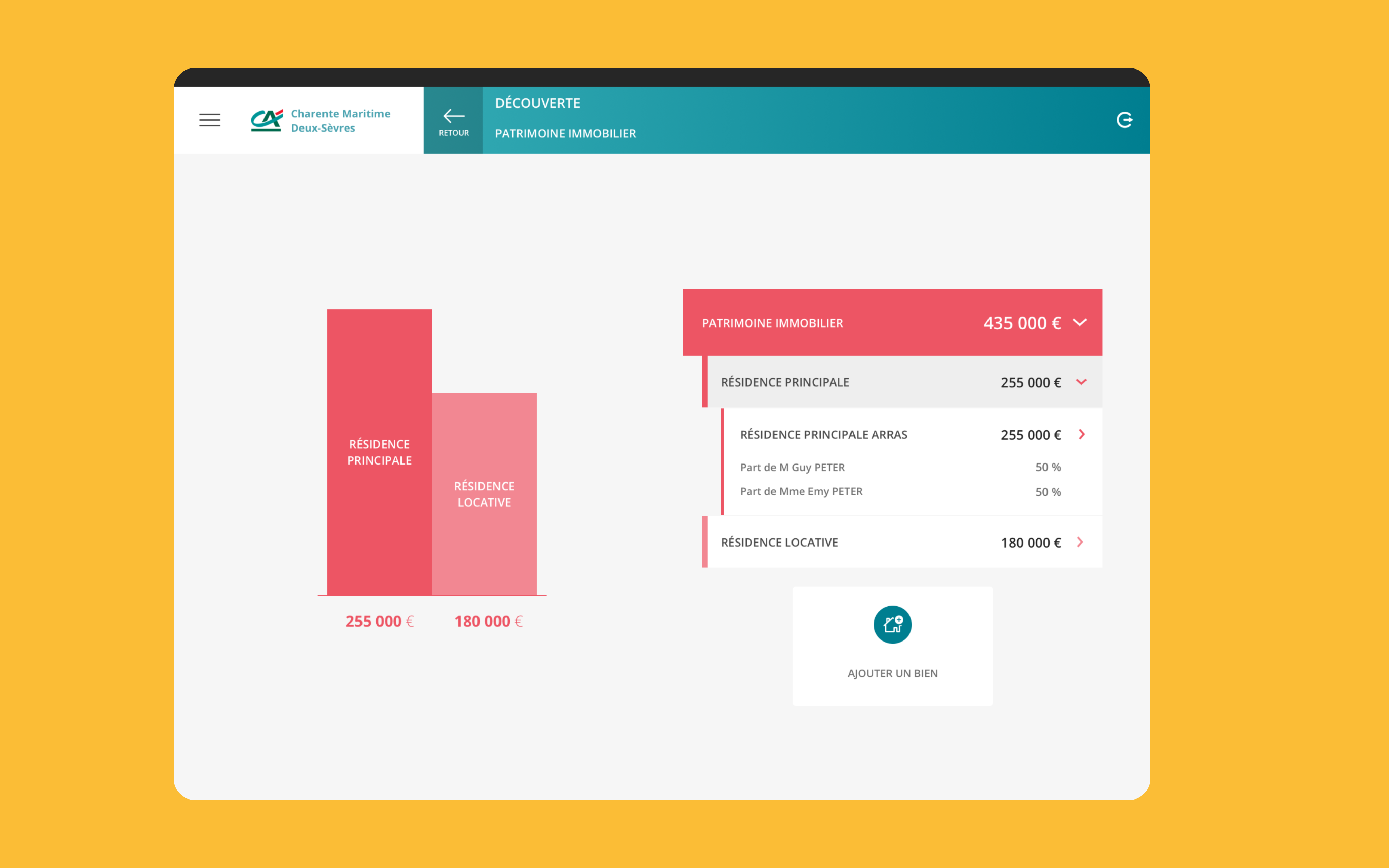
Decouverte, Visualisation du patrimoine immobilier d'un client
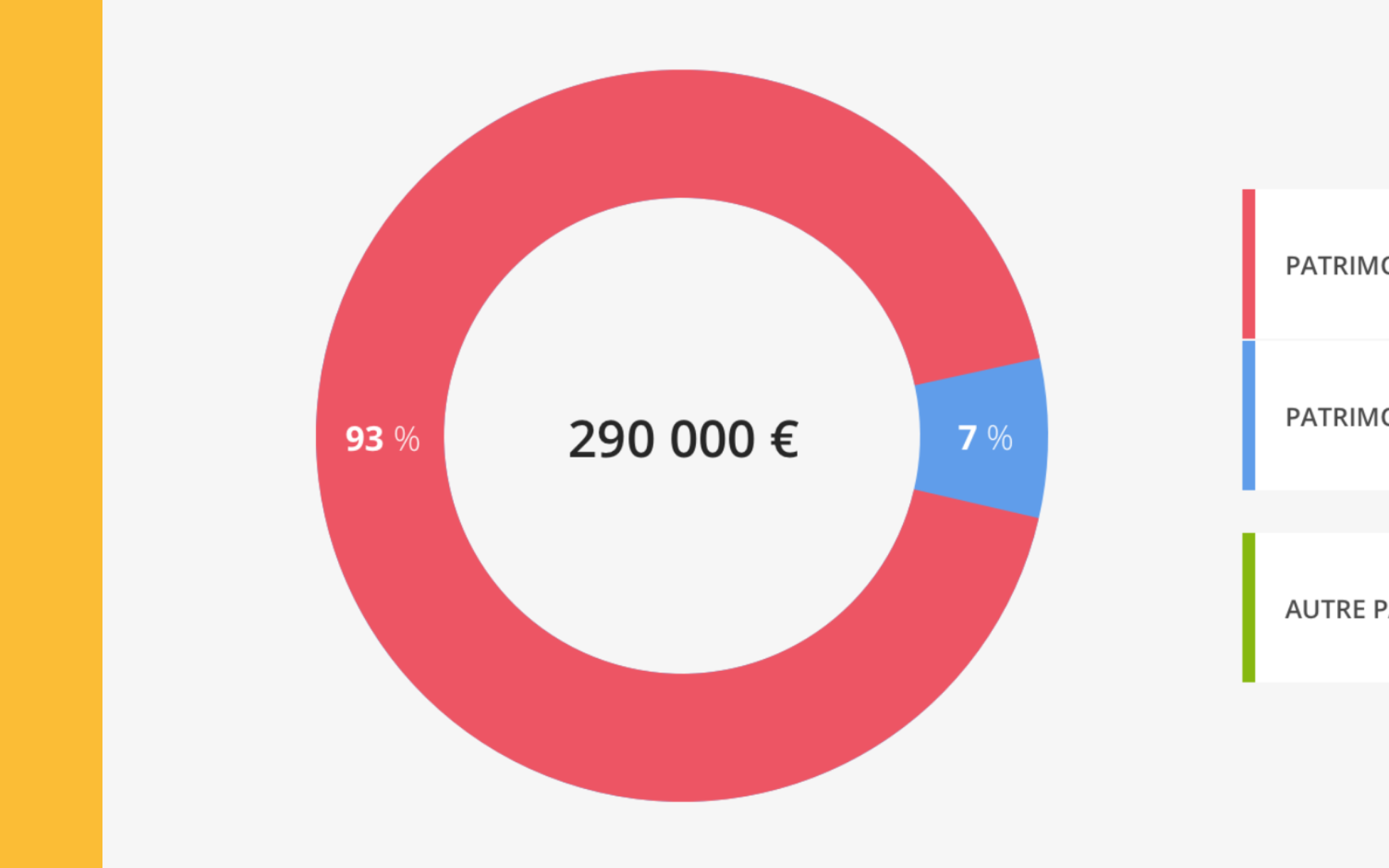
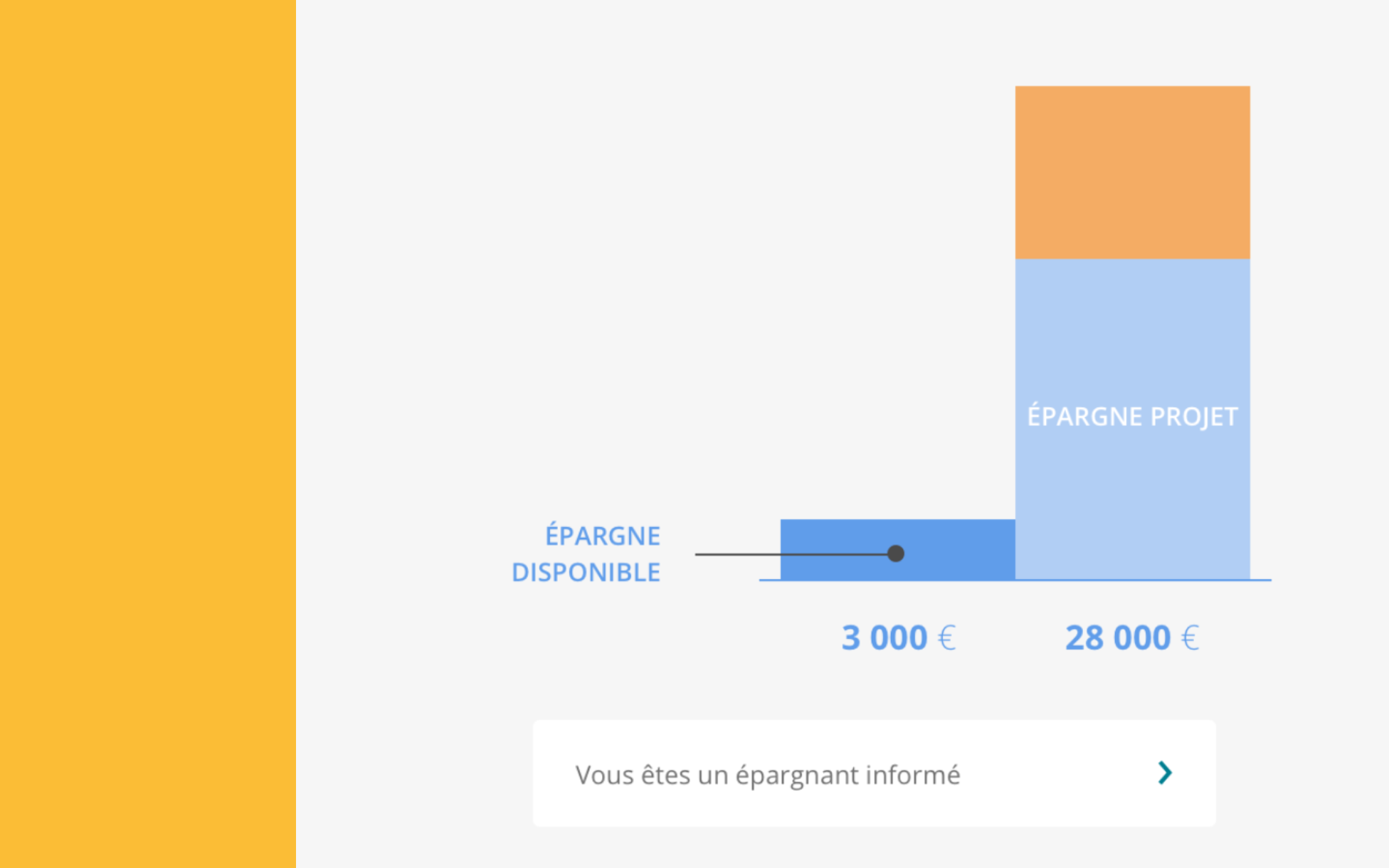
Des graphiques en donut et en bar ont été utilisés pour représenter les données numériques. Les graphiques en donut permettent une visualisation simple des proportions, tandis que les graphiques en bar sont adaptés aux comparaisons complexes. Cette approche enrichit la présentation des informations et facilite la prise de décision.
Decouverte, Représentation du patrimoine d'un client en donut
Decouverte, Représentation de l'épargne d'un client en bar
Co-construction
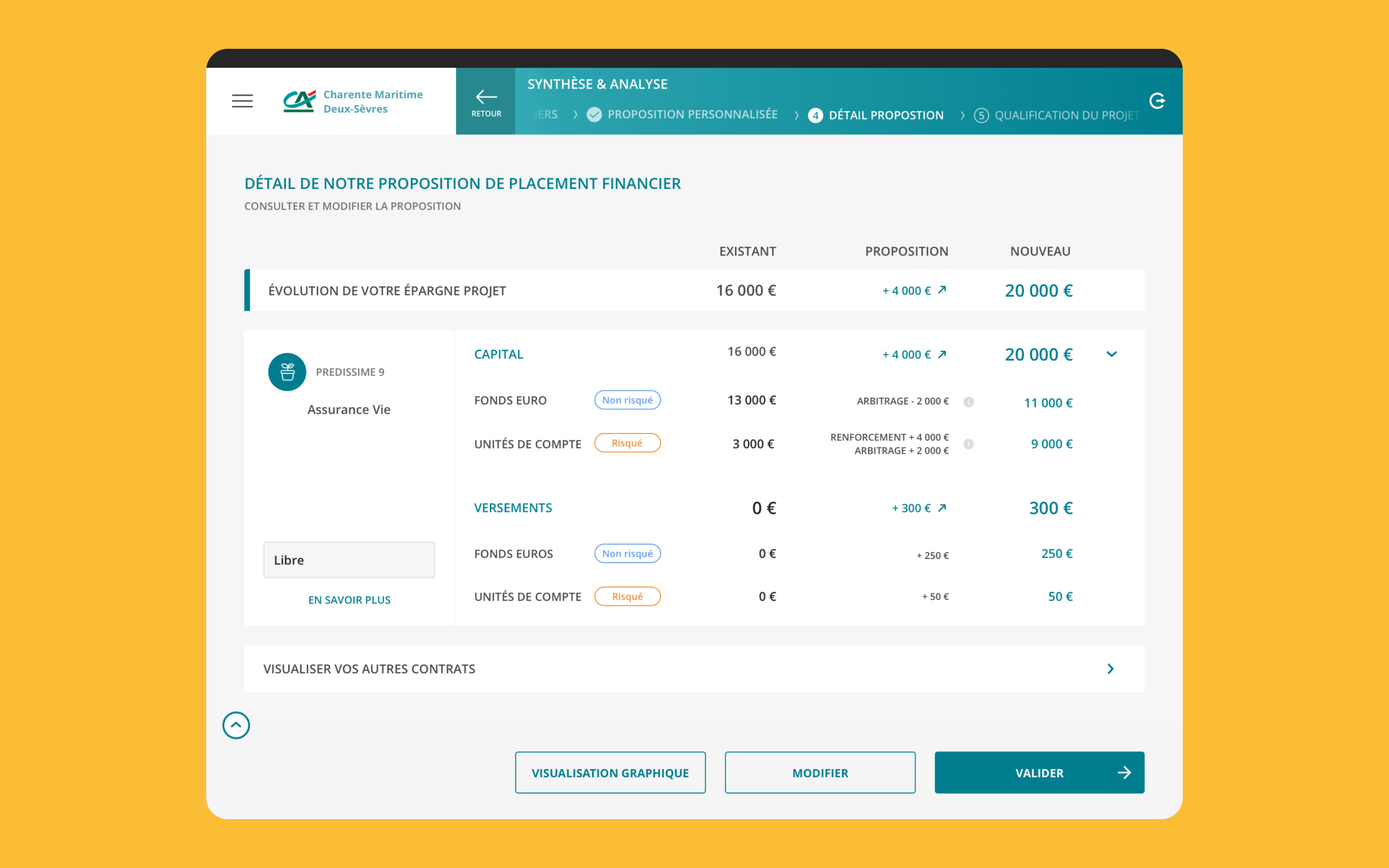
La co-construction offre deux solutions de placement personnalisées, pertinentes et adaptées au profil du client. Le client a la liberté de les supprimer s'il ne souhaite pas les considérer. Avant de finaliser, une synthèse est présentée pour validation, garantissant que toutes les informations sont correctes.
Co-construction, Détail d'une proposition de placement financier
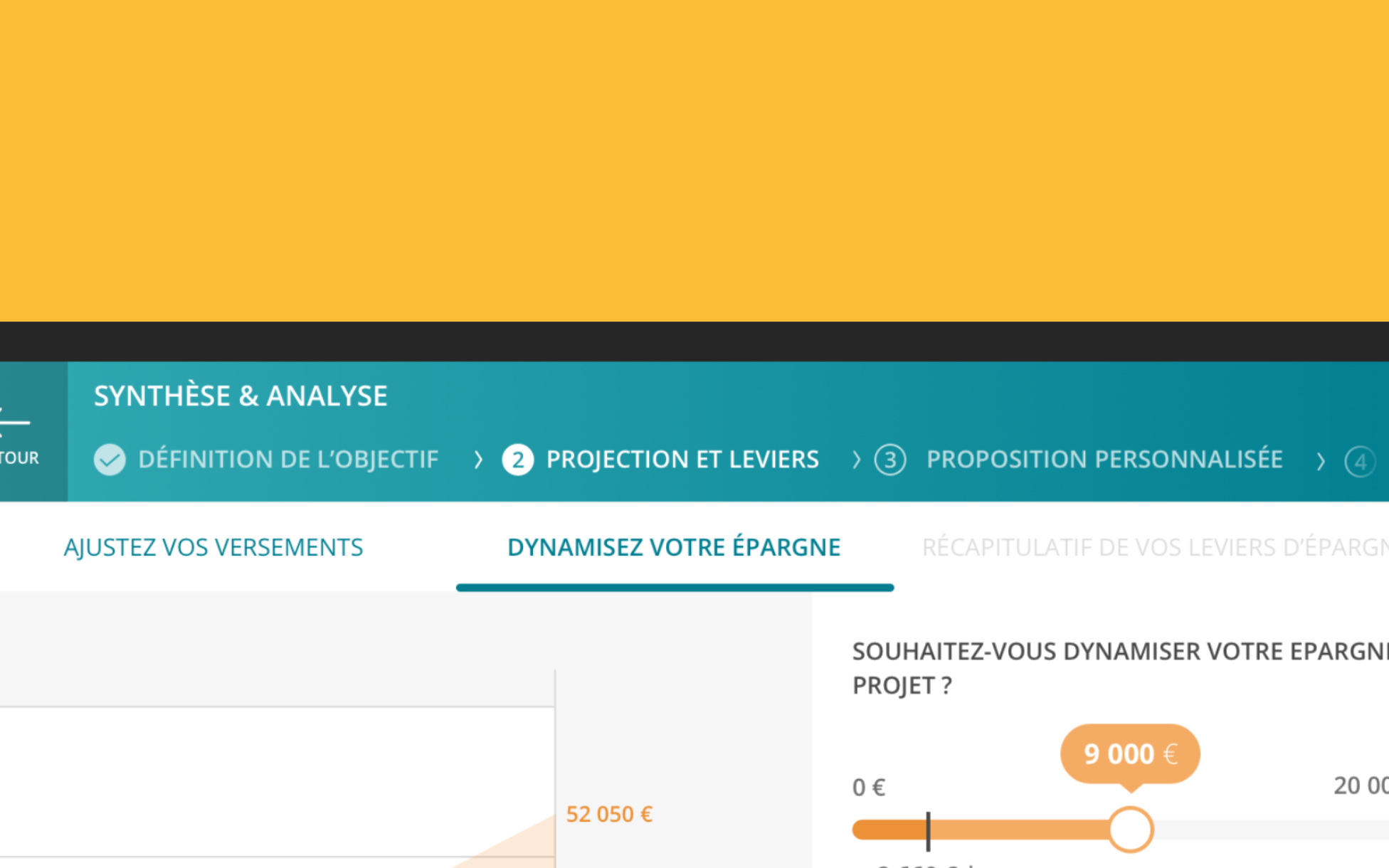
Les écrans sont conçus avec des graphiques pour faciliter la projection du client. Des indicateurs visuels mettent en avant les informations essentielles. Afin d'éviter de submerger les utilisateurs, les informations ont été scindées par page, ce qui permet une navigation plus fluide et une meilleure compréhension des données présentées.
Co-construction, Navigation découpée pour éviter de submerger l'utilisateur
Édition des données
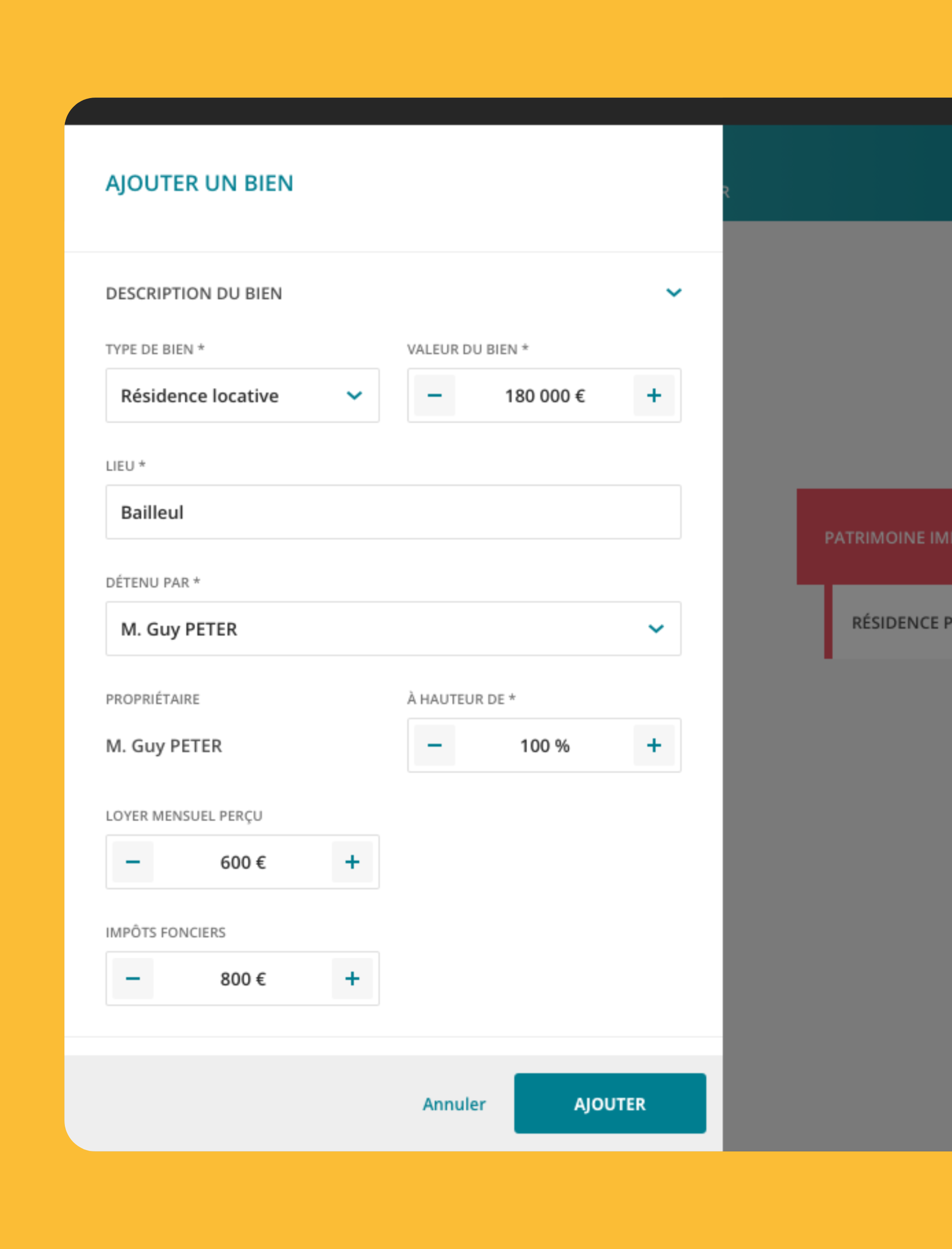
L’édition des données s'effectue principalement via l'affichage d'un volet, ce qui permet à l'utilisateur de rester sur la page en cours. Ce volet présente un double avantage : il offre un grand nombre d'informations tout en garantissant une lisibilité agréable.
Édition des données, Exemple d'un volet d'édition qui passe par-dessus l'écran principal
UI Kit
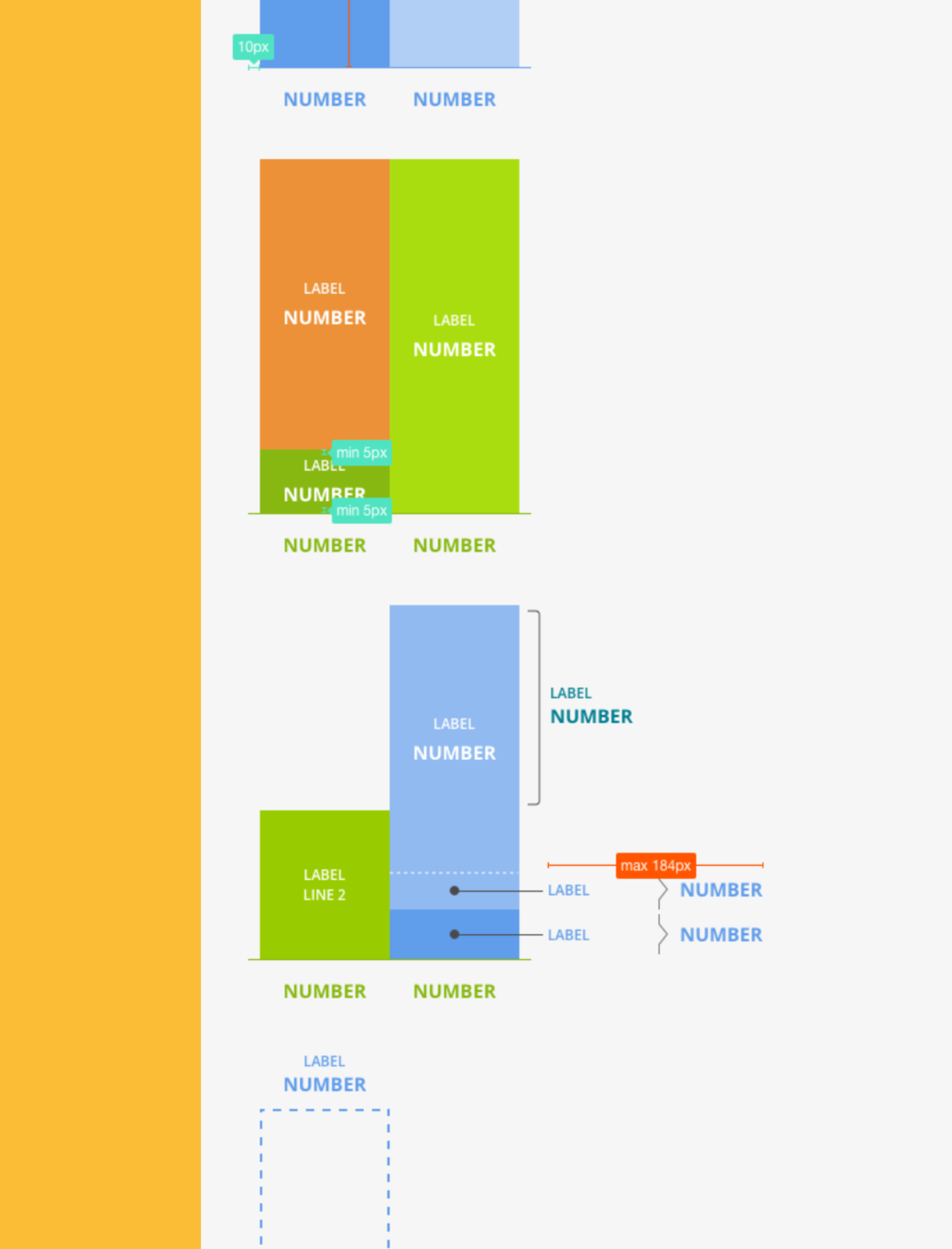
L'UI Kit a établi des contraintes pour la construction des composants utilisés dans l'application. Cela a permis, au deuxième designer et à moi-même, de rendre l'application plus homogène en termes d'utilisabilité et de représentation graphique. Cette approche assure une expérience utilisateur cohérente et agréable.
The tablet application is dedicated to advisors to facilitate meetings with their clients. It allows advisors to better understand their clients' needs and helps clients to manage their investments effectively.
#User Interface
#User Experience
#Prototyping
#Illustration
#Design System
Mon patrimoine, Presentation of multiple screens
Discovery
The first step of the application is to discover the client in order to offer highly personalized investment solutions. This step is essential, as the client cannot proceed to the next one until they have completed their financial profile. This ensures that the recommendations are tailored to the specific needs of each client.
Discovery, Visualization of a client's real estate assets.
Donut and bar charts have been used to represent numerical data. Donut charts provide a straightforward visualization of proportions, while bar charts are suitable for complex comparisons. This approach enhances the presentation of information and facilitates decision-making.
Discovery, Représentation du patrimoine d'un client en donut
Discovery, Representation of a client's assets in a donut chart
Co-construction
Co-construction offers two personalized investment solutions that are relevant and tailored to the client's profile. The client has the freedom to dismiss them if they do not wish to consider them. Before finalization, a summary is presented for validation, ensuring that all information is correct.
Co-construction, Detail of a financial investment proposal
The screens are designed with graphics to facilitate client projection. Visual indicators highlight essential information. To avoid overwhelming users, the information has been divided by page, allowing for smoother navigation and better understanding of the presented data.
Co-construction, Segmented navigation to avoid overwhelming the user
Data editing
Data editing primarily occurs through the display of a panel, allowing the user to remain on the current page. This panel offers a dual advantage: it provides a wealth of information while ensuring comfortable readability.
Data editing, Example of an editing panel that overlays the main screen.
UI Kit
The UI Kit has established constraints for building the components used in the application. This has allowed the second designer and me to make the application more consistent in terms of usability and graphical representation. This approach ensures a cohesive and enjoyable user experience.